

HubSpot Data Hub Explained: What RevOps Teams Need to Know
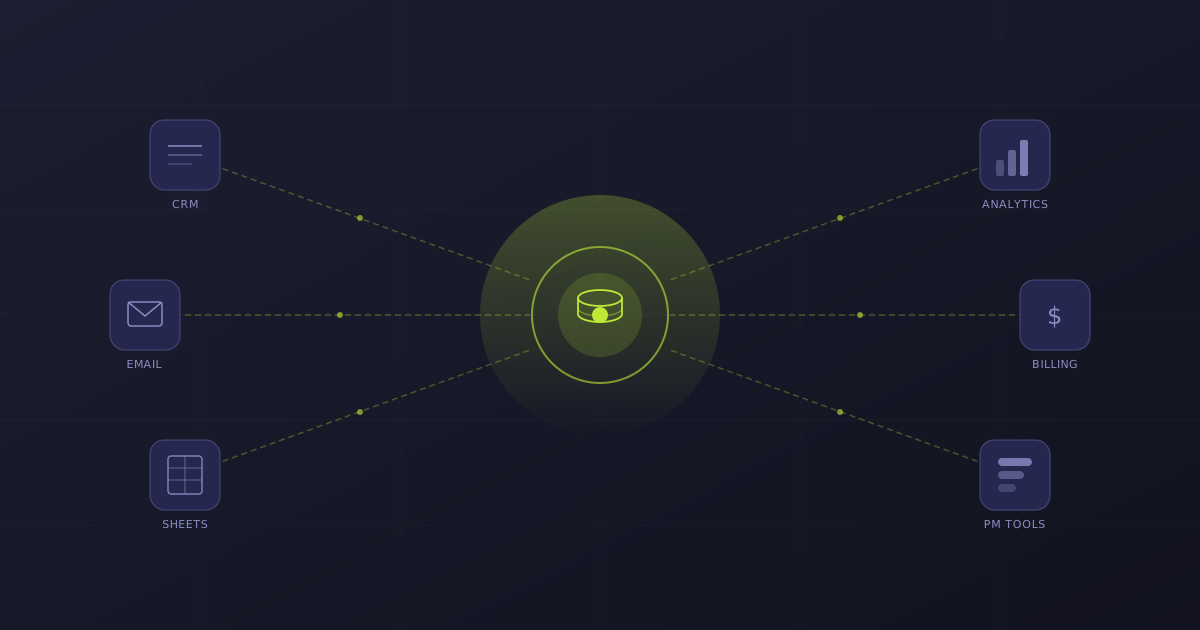
Your CRM data is scattered. Product usage lives in one tool, marketing engagement sits in another, and your sales team is updating spreadsheets that nobody else can see.
According to HubSpot, 80% of customer data is trapped in emails and calls — never making it into a system where it can actually drive decisions.
The result?
Your automation runs on incomplete information, your reporting tells half the story, and your AI tools are only as good as the fragmented data feeding them.
That's the problem HubSpot Data Hub was built to solve.
Announced at INBOUND 2025 as the evolution of Operations Hub, Data Hub isn't just a rebrand with a new logo. It's a fundamentally different approach to how your CRM handles data — shifting from a set of tools aimed at ops teams to an activation-first data layer that every revenue team can use.
In this guide, we'll walk through exactly what Data Hub is, what's changed from Operations Hub, and how to use it to build a single source of truth your entire organization can trust.
Need help getting your HubSpot data under control? Book a free consultation with Superwork to talk about your data strategy and RevOps setup.
What Is HubSpot Data Hub?
HubSpot Data Hub is the central data layer of HubSpot's Smart CRM.
Think of it as the nervous system that connects, cleans, and activates customer data across your marketing, sales, and service teams — all within HubSpot's native environment.
If you've been using Operations Hub, a lot of this will feel familiar.
Data Sync, Programmable Automation, and Data Quality Automation are all still there.
But Data Hub wraps those existing capabilities in a much broader vision: making sophisticated data management accessible to people who aren't writing code or building custom integrations.
The shift is best understood through three pillars:
1. Centralize. Data Hub connects your apps, databases, warehouses, and spreadsheets into HubSpot so every team works from the same dataset. No more exporting CSVs from one system and importing them into another.
2. Cleanse. AI-powered data quality tools run continuously in the background — deduplicating records, standardizing formatting, flagging inconsistencies, and filling in missing fields. This isn't a one-time cleanup. It's ongoing maintenance that keeps your CRM reliable without anyone having to babysit it.
3. Activate. Here's where Data Hub really separates itself from the old Operations Hub. Once your data is centralized and clean, you can compose it into dynamic datasets that feed directly into workflows, dashboards, segmentation, and reporting. The data doesn't just sit there — it works.
For RevOps teams, this means you're no longer the bottleneck between "the data exists somewhere" and "the team can actually use it." Data Hub puts that capability into the hands of marketers, sales managers, and service leads — while giving you the governance and quality controls you need.
The Three Core Features RevOps Teams Should Know
Data Hub ships with a lot of tools, but three features matter most for RevOps managers weighing the transition from Operations Hub.
Data Studio: Build Datasets Without Writing SQL
Data Studio is the headline feature, and it's the one that justifies the rebrand on its own. It's a no-code, spreadsheet-like interface where you can combine data from multiple sources into unified datasets — without writing SQL, building custom integrations, or waiting on your engineering team.
Here's what that looks like in practice. Say you want to understand which trial users are most likely to convert to paid. Right now, that data probably lives in two places: product usage metrics in your analytics platform, and deal stage information in HubSpot.
To combine them, you'd normally export both, merge them in a spreadsheet, clean up the formatting mismatches, and import the result back into HubSpot. By the time you're done, the data is already stale.
With Data Studio, you connect both sources directly, use drag-and-drop to define how the datasets relate to each other, and save the result as a live dataset.
AI assists by detecting patterns and suggesting how fields should map together. That dataset then stays current — automatically updating as new data flows in — and you can use it anywhere in HubSpot: lists, workflows, dashboards, reports.
For RevOps teams, this changes the job description. Instead of being the person who builds and maintains custom data pipelines, you can set up the connections and let the business teams build the specific views they need. You stay in control of the data architecture while distributing the ability to work with that data.
Data Studio is available on Professional and Enterprise tiers.
AI-Powered Data Quality: Automated Cleanup That Actually Stays Clean
Every ops team has been through the cycle: spend a week cleaning up CRM data, feel great about it for a month, then watch it slowly degrade back to chaos. Data Hub's AI-powered data quality tools are designed to break that cycle.
The Data Quality Command Center gives you a single view of your CRM's data health. It monitors for duplicates, incomplete records, formatting inconsistencies, and outdated information — continuously, not just when you remember to check.
When it finds issues, it either fixes them automatically (for things like formatting standardization) or flags them for your review (for things like potential duplicate merges where you need to decide which record to keep).
The AI enrichment side is worth calling out specifically. Data Hub can fill in missing fields from trusted sources automatically.
If a contact record is missing a company name or job title, AI will attempt to populate it. This is particularly useful when your sales team creates records in a hurry and skips half the fields — which, if your CRM is like most, happens constantly.
For RevOps managers, the value here isn't just cleaner data. It's the time you get back. Instead of running manual dedup projects quarterly, you set the rules once and let the system enforce them. Your team can focus on data strategy instead of data janitorial work.
Data Sync and Reverse ETL: Two-Way Connections Across Your Stack
Data Sync has been part of HubSpot since Operations Hub launched, and it carries over into Data Hub with the same core functionality: real-time, two-way synchronization with 100+ apps. If you're already syncing Salesforce, NetSuite, or other tools with HubSpot, nothing breaks.
What's new is the reverse ETL capability at the Enterprise tier. This lets you push enriched, composed data from HubSpot back into your data warehouse or BI tools — Snowflake, BigQuery, Databricks, and others.
That's a big deal for organizations where HubSpot is the operational CRM but the data warehouse is the analytical backbone. Instead of HubSpot being a data dead-end that analysts have to pull from manually, it becomes a two-way participant in your data ecosystem.
Through Data Studio, you can also connect directly to external databases and cloud storage platforms without writing code. Data flows in, gets cleaned and composed inside HubSpot, and can flow back out to wherever your analysts and BI teams need it.
The credit system for external syncs is worth understanding: data movements between custom sources consume credits, which are pooled across your HubSpot hubs.
For most mid-market companies, the default allocation is sufficient, but if you're syncing high volumes of data across many systems, factor this into your planning.
Thinking about connecting your data warehouse to HubSpot? Book a free consultation with Superwork — we'll help you design the right integration architecture for your stack.
Data Hub vs. Operations Hub: What Actually Changed?
This is the question every current Operations Hub user is asking, so let's be direct about it.
Your existing Operations Hub features aren't going anywhere. Data Sync, Programmable Automation, Data Quality Automation, Webhooks, Custom Coded Actions — all of it carries forward into Data Hub. You don't need to migrate anything, and nothing breaks.
What's different is the layer that sits on top of those existing tools:
| Aspect | Operations Hub | HubSpot Data Hub |
|---|---|---|
| Primary Focus | Process automation and app integration | Data unification and activation |
| Core New Feature | Programmable Automation | Data Studio (AI-powered data blending) |
| Primary User | Technical ops professionals and developers | RevOps, marketing, sales, and ops teams |
| Data Layer | Static CRM fields and custom properties | Dynamic, composable datasets from multiple sources |
| Data Quality | Reactive cleanup tools | Proactive, AI-driven continuous monitoring |
| External Data | Inbound sync only | Bidirectional sync + reverse ETL to warehouses |
The name change from "Operations" to "Data" reflects the strategic shift. Operations Hub was built around the question "how do I automate my processes?" Data Hub starts one step earlier: "how do I get my data unified and trustworthy so that my automation, AI, and reporting actually work?"
For RevOps teams, this distinction matters. If you've ever built a sophisticated workflow only to realize the data feeding it is incomplete or inconsistent, you understand the problem Data Hub is trying to solve. It's not replacing your automation — it's giving that automation a better foundation.
How to Use It: Three RevOps Use Cases
The features are only useful if you can see how they apply to real scenarios. Here are three common situations where Data Hub changes how RevOps teams operate.
SaaS: Triggering High-Intent Alerts from Product Usage Data
If you run RevOps at a SaaS company, you've probably tried to get product usage data into HubSpot. Maybe you built a custom integration, or maybe your team exports a CSV from Mixpanel every week and uploads it manually. Either way, the data is either delayed, incomplete, or both.
With Data Hub, you connect your product analytics platform to HubSpot through Data Studio, then compose a dataset that combines usage metrics (logins, feature adoption, time-in-app) with CRM data (deal stage, contract value, renewal date). From there, you create a calculated field — something like a "product engagement score" — and use it to trigger workflows.
The practical outcome: when a trial user hits a usage threshold that historically correlates with conversion, your sales team gets an alert in real time. Not a day later when someone remembers to check the spreadsheet — right now, while the intent is hot.
E-commerce: Unifying Purchase History with Marketing Engagement
E-commerce companies using HubSpot alongside Shopify, WooCommerce, or similar platforms often struggle to connect purchase behavior with marketing engagement. The data exists in both systems, but combining it requires manual effort or expensive middleware.
Data Hub's Data Studio lets you pull Shopify purchase history directly into HubSpot and blend it with marketing engagement data — email opens, ad clicks, website visits.
The result is a unified customer dataset that supports hyper-segmentation: customers who bought product X and engaged with campaign Y get a different follow-up than customers who bought product X but haven't opened an email in 90 days.
For RevOps, this means building segments that were previously impossible without custom development. And because the dataset is live, your segments update automatically as new purchases and engagement data flows in.
Professional Services: Connecting Project Health to Client Contracts
Professional services firms often track project delivery in one tool (Asana, Monday.com, or a custom PM system) and client contracts in HubSpot.
When a project starts going sideways — deadlines slipping, hours exceeding estimates — that information doesn't automatically reach the account manager who owns the client relationship.
Data Hub can bridge this gap. Connect your PM tool's data into HubSpot via Data Studio, compose a dataset that pairs project health metrics with contract value and renewal dates, and set up alerts when projects at risk coincide with upcoming renewals. Your account team gets early warning to intervene before a delivery issue becomes a churn event.
Pricing and Tiers
Data Hub pricing mirrors the old Operations Hub structure, so if you're already budgeting for Ops Hub, there are no surprises.
Starter — from $20/month per seat. Includes data sync, custom field mappings, and basic data quality tools. Good for small teams that need to keep HubSpot connected to a few key apps.
Professional — from $800/month (1 seat included). This is where it gets interesting for RevOps. You get Data Studio, AI-powered data quality, programmable automation, and the Data Quality Command Center. If you want to build composite datasets and automate data cleanup at scale, this is the tier you need.
Enterprise — from $2,000/month (1 seat included). Everything in Professional, plus reverse ETL to data warehouses (Snowflake, BigQuery, Databricks), advanced dataset capabilities, custom objects, and enterprise-level permissions. This is for organizations where HubSpot needs to participate as a full node in a larger data infrastructure.
A few things worth noting: Data Studio — the feature most RevOps teams will care about most — requires Professional or Enterprise. The credit system for external data syncs applies across tiers, with credits pooled across your HubSpot hubs. And if you're currently on Operations Hub, the transition is seamless — your existing features and configurations carry over automatically.
The 5-Step Framework for Getting Started With Data Hub
If you're ready to move from scattered data to a single source of truth, here's a practical framework for your first Data Hub implementation.
Step 1: Audit Your Messiest Data Sources
Before you connect anything, take stock of where your data problems actually live. Which systems contain customer data that your teams need but can't easily access? Where are the duplicate records, the inconsistent formatting, the fields that are empty 60% of the time?
Most RevOps teams already know the answer instinctively — it's the spreadsheet someone maintains manually, or the analytics tool that never got properly integrated. Start with the data source that causes the most pain.
Step 2: Connect Your Priority Sources via Data Sync
Use Data Hub's Data Sync to bring your highest-priority external data into HubSpot. For most companies, this means connecting your product analytics platform, your billing system, or your project management tool — whichever one holds the data your team asks about most often.
Set up the sync with field mappings that match your HubSpot property structure. Data Hub's AI will suggest mappings based on field names and data types, but review them carefully — automated suggestions are a starting point, not a final answer.
Step 3: Compose Your First Dataset in Data Studio
Pick a specific use case — not "unify all our data," but something concrete like "combine product usage data with deal stage to identify high-intent trials." Open Data Studio, connect your sources, and build a dataset that addresses that specific question.
Keep your first dataset simple. Join two sources on a clear key (like email address or company ID), add a few calculated fields, and save it. You can always expand later, but getting one working dataset into production quickly builds momentum and proves the concept to your stakeholders.
Step 4: Turn On AI Data Quality Automation
With data flowing in, activate the Data Quality Command Center. Let AI scan for duplicates, formatting inconsistencies, and incomplete records across your connected data. Review the initial findings — the first pass usually surfaces a backlog of issues — and set rules for what gets auto-fixed versus what gets flagged for manual review.
This is also a good time to standardize naming conventions and required fields. Data Hub's quality tools work best when they have clear rules to enforce.
Step 5: Activate Your Datasets in Workflows and Dashboards
The whole point of building a single source of truth is using it. Take your composed dataset and put it to work: create a workflow that triggers based on your new engagement score, build a dashboard that shows your blended data in real time, or set up a list that segments customers using fields that didn't exist in HubSpot before.
Start with one activation and measure the impact. Did the workflow trigger on the right contacts? Does the dashboard answer the question your VP of Sales keeps asking? Iterate from there.
Ready to implement HubSpot Data Hub for your organization? Book a free consultation with Superwork — we specialize in HubSpot RevOps and can help you design a data architecture that actually works.
The Bottom Line
HubSpot Data Hub represents a real shift in how the platform handles data — not just storing it, but actively unifying, cleaning, and making it usable for every team. For RevOps managers, the practical impact is clear: you spend less time building and maintaining custom data pipelines, less time cleaning up after inconsistent manual processes, and more time designing the data strategy that drives revenue.
The foundation is straightforward. Centralize your data sources into HubSpot. Let AI keep that data clean. Compose dynamic datasets that feed your automation, reporting, and segmentation. The tools are there — Data Studio, Data Quality, Data Sync, and reverse ETL give you the building blocks for a genuine single source of truth.
Better data means better automation. Better automation means better customer experience. And better customer experience is where revenue growth actually comes from.
If your CRM data is fragmented and your team is spending more time wrangling spreadsheets than building strategy, HubSpot Data Hub is worth a serious look. Book a free consultation with Superwork to talk about how Data Hub fits into your RevOps stack — and how to get it running without the usual implementation headaches.
Share: